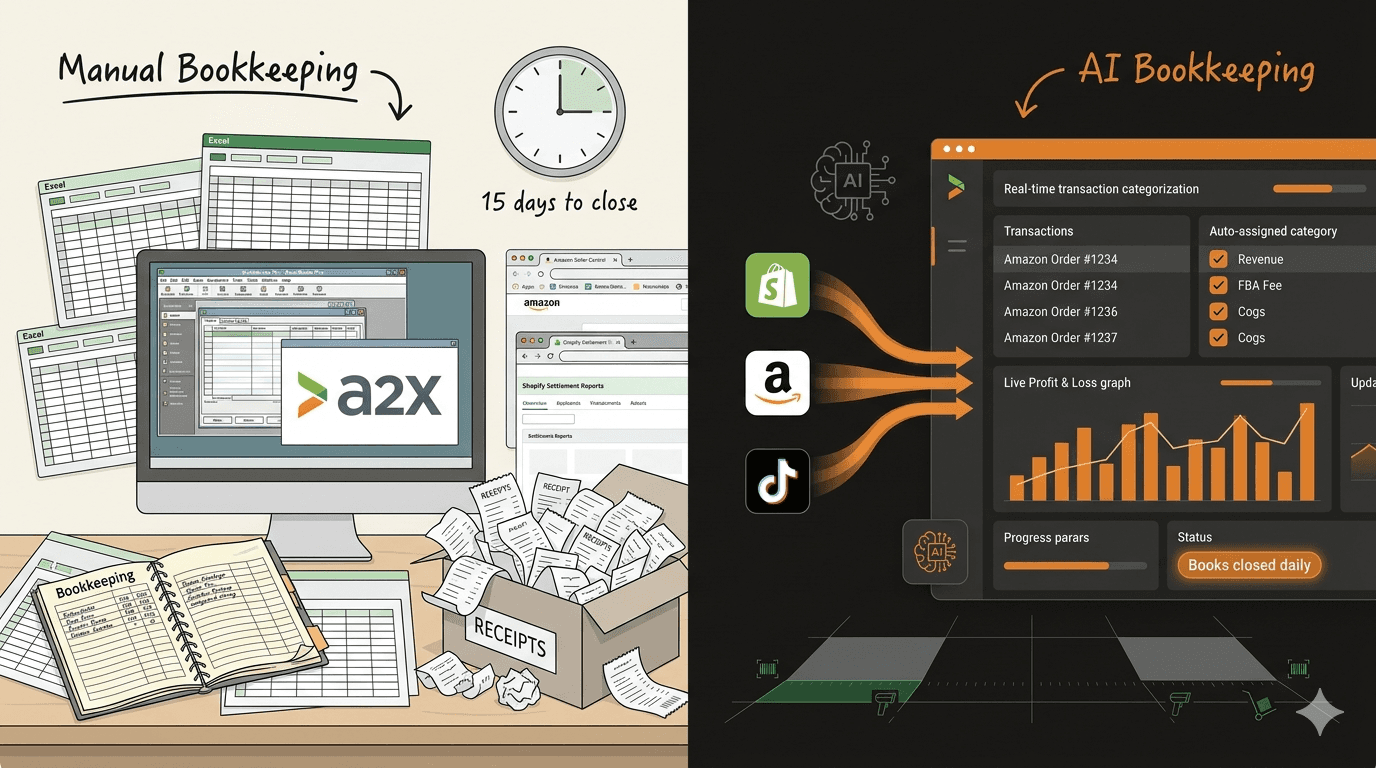



Running a Shopify store means selling is the easy part. Keeping the financial records accurate, current, and organized is where most founders fall behind. The orders flow in, the payouts hit the bank account, and the books sit untouched until tax season forces a reckoning.
The problem is not laziness. It is that Shopify generates a volume and variety of financial transactions that manual bookkeeping was never designed to handle. A single day of sales can produce dozens of line items across payments, refunds, shipping charges, app fees, and platform costs. Without a system built for that pace, books fall behind in weeks and stay behind for months.
This guide walks through what makes Shopify bookkeeping different from standard small business accounting, where founders lose control of their numbers, and how to maintain clean books without hiring a dedicated bookkeeper.
Why Shopify Bookkeeping Is Harder Than It Looks
Shopify makes it simple to launch a store and start selling. The financial complexity shows up later, once order volume picks up and the transactions start compounding.
Consider what happens with a single Shopify order. The customer pays $85 for a product. Shopify processes the payment and deducts its processing fee (2.9% + $0.30 on the basic plan). If the operator uses a third-party payment gateway, there is an additional transaction fee. Shopify Payments settles the funds in two business days, but the payout amount does not match the order total because fees have already been deducted. If the customer returns the item a week later, a refund gets issued, but the original processing fee does not come back.
Now multiply that by 30, 50, or 200 orders per day. Add subscription app charges that bill monthly. Factor in Shopify's own subscription fee, theme purchases, and any Shopify Capital repayments. Layer on shipping label costs purchased through Shopify Shipping. Each of these events creates a financial record that needs to be categorized, matched to bank deposits, and reconciled.
Three factors make Shopify bookkeeping particularly tricky for growing stores:
- Batched payouts obscure individual transactions. Shopify deposits funds in lump sums every two days (or on a custom schedule). A single bank deposit might represent 150 separate orders minus fees, refunds, and adjustments. Matching that deposit to individual sales requires pulling Shopify's payout report and breaking it apart.
- App and service fees fragment across billing cycles. A typical Shopify store runs 8 to 15 apps, each billing on its own cycle. Some charge flat monthly fees. Others charge per transaction or per order. Tracking these costs accurately means reconciling multiple billing statements against what Shopify reports in its admin.
- Sales tax collection creates compliance obligations. Shopify collects sales tax automatically in jurisdictions where the operator has enabled it, but it does not file or remit unless the merchant enrolls in Shopify Tax automated filing, which can file and remit in US jurisdictions for a per-return fee. Outside that enrollment, the responsibility falls on the founder. Without current books, operators risk missing filing deadlines or underreporting their liability.
Where Shopify Founders Lose Control of Their Books
Most Shopify operators do not start with messy books. They start with no books at all, or with a spreadsheet that works fine at 10 orders a day. The breakdown happens at a predictable point: when order volume crosses 20 to 30 daily transactions and the founder is still handling finances manually.
Here is how it typically unfolds.
Month one to three: The founder tracks revenue in a spreadsheet, downloads Shopify reports occasionally, and handles bookkeeping as a weekend task. It works.
Month four to six: Order volume doubles. The founder falls two weeks behind on categorizing transactions. Bank reconciliation starts to slip. The spreadsheet grows rows faster than it gets updated.
Month seven and beyond: The founder has not reconciled in six weeks. Uncategorized transactions pile up. Tax obligations are unclear. The monthly profit margin is a guess. Every financial decision, from inventory reorders to ad spend, runs on intuition instead of data.
This pattern repeats because Shopify generates financial data at a pace that exceeds what a founder can process manually while also running marketing, fulfillment, and customer service. The books do not fall behind because the founder does not care. They fall behind because the founder has 14 other priorities competing for the same hours.
The cost of falling behind compounds. An operator running 28% gross margins in Q1 might be at 21% by Q3 without knowing it, because Shopify app costs crept up, shipping rates increased, and return rates climbed. By the time the year-end P&L surfaces the problem, thousands of dollars have already been lost to invisible margin erosion.
The Shopify Chart of Accounts That Actually Works
A chart of accounts defines where every transaction gets categorized. Most generic templates are built for service businesses or brick-and-mortar retail. Shopify operators need a structure that captures the financial flows specific to online selling.
Here is a streamlined chart of accounts for Shopify stores doing $100K to $3M in annual revenue:
Revenue
- Shopify Product Sales. Gross revenue from product sales, before returns and discounts.
- Shipping Revenue. Revenue collected from customers for shipping, tracked separately from product sales so margin calculations stay accurate.
- Returns and Refunds. A contra-revenue account that offsets gross sales. Tracking this separately reveals the true return rate and its financial impact.
- Discounts Given. Another contra-revenue account. Separating discounts from net sales makes it possible to measure the real cost of promotions.
Cost of Goods Sold
- Product Costs. The landed cost of inventory: wholesale price plus freight, duties, and any tariffs.
- Packaging and Shipping Supplies. Materials used to fulfill orders (boxes, mailers, labels, inserts).
Selling and Fulfillment Expenses
- Outbound Shipping. Actual shipping costs, whether paid through Shopify Shipping, a third-party carrier, or a fulfillment provider.
- Merchant Processing Fees. Shopify Payments fees, gateway fees, and any chargeback costs. These track with each sale, but they are selling expenses, not product costs, so they belong below COGS.
Operating Expenses
- Shopify Subscription. Monthly platform fee.
- Shopify Apps. Aggregate monthly app costs, or broken into sub-accounts for major apps (email, reviews, inventory management).
- Advertising and Marketing. Meta, Google, TikTok ad spend, influencer payments, and affiliate commissions.
- Fulfillment Labor. If using in-house fulfillment, the labor cost to pick, pack, and ship orders.
- 3PL Fees. If using a third-party logistics provider, their storage, pick-pack, and shipping charges.
This structure gives a clear view of where money goes at each level: how much the products cost, how much it costs to sell them, and how much overhead the business carries. Most operators can set this up in a few hours and maintain it going forward with the right tools.
Five Bookkeeping Habits That Replace a Full-Time Bookkeeper
Hiring a bookkeeper costs $500 to $2,000 per month for a Shopify business, depending on transaction volume. For operators doing under $1M in revenue, that is a significant expense relative to the value it delivers. The alternative is not doing the work yourself. It is building a system that automates the repetitive parts and requires only a small time investment each week.
1. Automate Transaction Categorization
The single biggest time sink in bookkeeping is sorting transactions into the right accounts. A Shopify store doing 100 orders per day produces roughly 3,000 orders a month, and even after Shopify batches those into payouts, the bank feed still carries hundreds of categorizable lines each month: payouts arriving every day or two, refunds, app charges, shipping labels, and ad platform bills.
AI-powered bookkeeping tools can categorize 90% to 95% of these transactions automatically by learning from historical patterns. The founder's role shifts from categorizing every transaction to reviewing a handful of exceptions each week. For more on how AI bookkeeping works and who it fits, see our post on AI bookkeeping.
2. Reconcile Weekly, Not Monthly
Monthly reconciliation is how books fall behind. By the time a founder sits down to reconcile 30 days of transactions, the task takes hours and errors are harder to spot.
Weekly reconciliation takes 15 to 20 minutes when transaction categorization is automated. The process is straightforward: compare the week's Shopify payouts against bank deposits, verify that categorized transactions match the expected amounts, and flag anything that does not line up. Catching discrepancies within seven days is far easier than untangling them after 30 or 60 days.
3. Separate Business and Personal Finances Completely
This sounds obvious, but a surprising number of Shopify operators run business expenses through personal cards, especially early on. Mixed accounts make every reconciliation harder and create a mess at tax time.
At minimum, use a dedicated business checking account and one business credit card. Route all Shopify payouts to the business account. Pay all business expenses from business accounts. The cleaner the separation, the faster bookkeeping goes.
4. Track COGS at the SKU Level
Knowing the overall cost of goods sold is useful. Knowing the COGS per SKU is what reveals which products actually make money. Many Shopify operators discover that 20% to 30% of their SKUs operate at break-even or below once shipping, packaging, and platform fees are properly allocated. For a full framework on running this analysis, see our guide to product profitability analysis.
Maintain a landed cost spreadsheet (or use inventory management software) that captures the true cost per unit: wholesale price, shipping to warehouse, duties, and handling. Update it whenever costs change, and feed those numbers into the bookkeeping system.
5. Set a Monthly Close Calendar
Professional finance teams "close the books" at the end of every month. Shopify founders should adopt a simplified version. Set a recurring calendar event for the 5th of each month with three tasks: reconcile the final week of the prior month, review the monthly P&L, and verify that cash flow matches expectations.
This monthly close takes 30 to 45 minutes when the first four habits are in place. It provides a clean financial snapshot that supports better decisions about inventory, ad spend, and growth timing.
Common Shopify Bookkeeping Mistakes (and How to Fix Them)
Even founders with good intentions make bookkeeping errors that distort their financial picture. Here are the most frequent mistakes specific to Shopify operators.
Recording Shopify payouts as revenue. Shopify payouts are net amounts (after fees and refunds). Recording the payout as revenue understates gross sales and hides the true cost of payment processing. The fix: record gross sales as revenue, then record fees and refunds as separate line items.
The mechanic that makes this workable is a clearing account. Book gross sales, refunds, and fees to a Shopify clearing account as they occur, then match each net bank deposit against it. When the clearing balance returns to zero, everything is recorded. A balance that will not clear means a fee, refund, or adjustment is still missing.
Ignoring Shopify app costs. A store running 12 apps at an average of $30 each is spending $360 per month, or $4,320 per year, on tools alone. When these charges are lumped into a generic "software" category or overlooked entirely, the true operating cost stays hidden. The fix: create an "Apps and Software" expense account and review it quarterly.
Mixing up inventory purchases and COGS. Buying $10,000 of inventory is not a $10,000 expense. It is an asset purchase. The expense occurs when those units sell. Booking inventory purchases directly as COGS inflates expenses in the month of purchase and understates them in the months when products actually ship. The fix: record inventory purchases as assets and move costs to COGS as units sell.
Failing to account for sales tax liability. Shopify collects sales tax from customers, but that money belongs to the state, not the operator. It should be recorded as a liability, not revenue. Operators who include collected sales tax in their revenue numbers overstate income and face unpleasant surprises at filing time.
Skipping bank reconciliation. Some founders rely on Shopify reports alone and never compare them against actual bank statements. Shopify reports show what the platform processed, but they do not capture bank fees, non-Shopify expenses, or deposit timing differences. The fix: reconcile Shopify payouts against bank deposits weekly.
When to Consider Additional Bookkeeping Help
Not every Shopify operator needs to handle bookkeeping entirely on their own forever. There are inflection points where bringing in support, whether a part-time bookkeeper, an accountant, or a more capable software platform, makes financial sense.
Crossing $500K in annual revenue. At this level, transaction volume and financial complexity typically exceed what a founder should manage alongside running the business. The cost of errors or delayed financial data starts to outweigh the cost of proper bookkeeping support.
Adding a second sales channel. Selling on both Shopify and Amazon (or Walmart, TikTok Shop, or wholesale) doubles the bookkeeping complexity. Each channel has different fee structures, payout schedules, and reporting formats. Multi-channel reconciliation is where manual systems break down fastest. For operators expanding to Amazon as sellers, the bookkeeping considerations differ enough to warrant separate planning. And once clean books are in place, the next step is building the ecommerce KPI dashboard that turns bookkeeping data into growth decisions.
Preparing for outside funding. Investors expect clean, current financial records. A founder approaching angel investors or applying for a loan needs books that are reconciled, categorized correctly, and tell a clear story about the business. Scrambling to clean up six months of backlogged books before a pitch is a common and avoidable mistake. The cost of financial chaos in these situations goes well beyond the bookkeeping itself, as we covered in our post on what bad books cost growing startups.
Tax complexity increasing. Sales tax nexus in multiple states, international sales, or transitioning from sole proprietorship to LLC or S-corp all create bookkeeping requirements that benefit from professional guidance.
Keeping Shopify Books Clean as the Business Grows
Clean books are not a one-time project. They are an ongoing system that needs to scale with the business. The Shopify store doing 50 orders a day today might be doing 200 in six months, and the bookkeeping system needs to handle that growth without requiring proportionally more time.
The most effective approach combines automation for the repetitive work (transaction categorization, bank matching, fee tracking) with regular founder review for the judgment calls (expense allocation, inventory valuation, revenue timing). This keeps the founder connected to the financial health of the business without spending hours each week on data entry.
Futureproof's AI-powered bookkeeping is built for exactly this model. It connects to Shopify, categorizes transactions automatically, and gives founders a clear financial picture without the manual work that causes books to fall behind. Start your 14-day trial to get early access when Shopify integration launches.